
Kajabi vs Squarespace Member Areas: Which platform to launch your course with?
There are SO many course platforms to choose from in 2026.
But this blog is for those of you weighing up Kajabi vs Squarespace Members Area.
So let’s cut through the noise and compare.
Because not only have I setup and switched many courses/ memberships on both platforms.
I have personally run courses on both Squarespace + Kajabi.
1. Ease of setup
If your website is already on Squarespace, this is the path of least resistance for sure. You just turn on Member Areas, upload your content, match your existing website branding and voilà - course live.
Kajabi takes a bit more to get going. It’s more powerful, but not as beginner-friendly. You are going to have to learn a new platform.
So if you’re looking for “get-it-out-the-door-today” ease? Squarespace takes the biscuit.
(Unless you follow my roadmap Kajabi setup course obvs)
Winner: Squarespace
2. Branding
Squarespace is built for beautiful websites - so it’s no surprise that your course or digital product area looks gorgeous out of the box.
Kajabi takes some work to get it looking beautiful, possible but you may need templates + tutorials if you are not a designer.
Winner: Squarespace… but with a bit of time Kajabi.
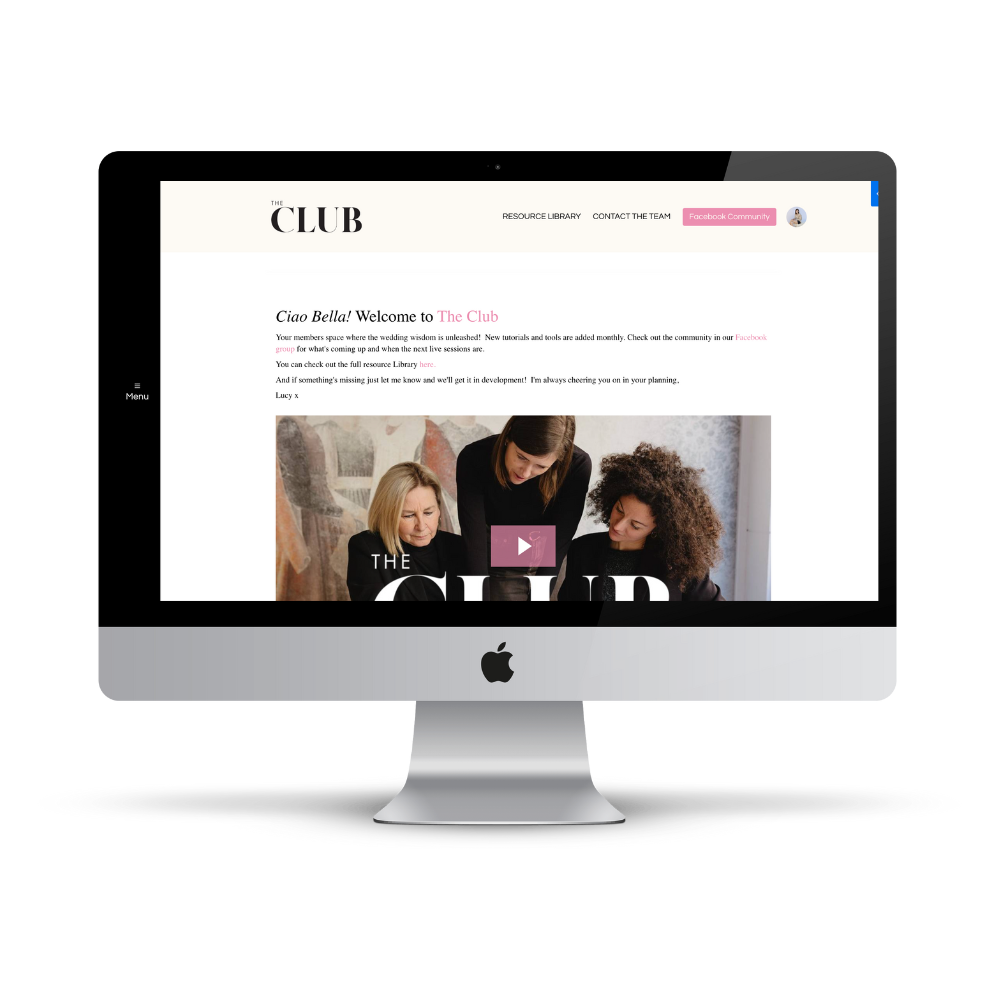
Kajabi Course Area (using free Sunset theme)
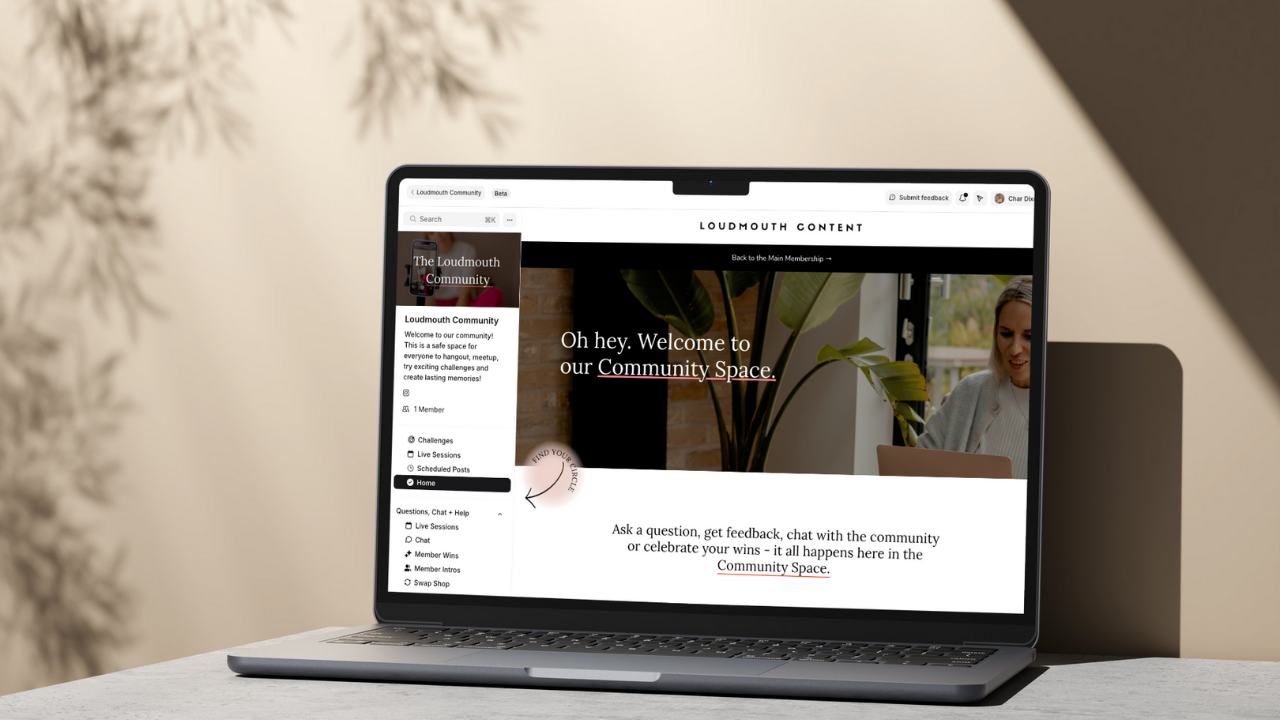
Kajabi Community Product Example (with a landing page homepage)
3. Pricing - is Kajabi really too expensive?
At first glance? Yes.
Kajabi starts at £69/month. Squarespace Plus is £29/month, assuming you’re already using Squarespace for your main site.
But this is where most people stop comparing — and that’s a mistake.
Because Kajabi doesn’t take a cut of your sales.
Squarespace? It takes 1% to 5% per transaction, depending on your plan (core is 5%, plus is 1%).
And that’s where things start to sting.
Prices are of December 2025.
When does Kajabi become the cheaper option?
Here’s how it actually breaks down in pure profit:
| Course Price | Kajabi becomes cheaper at... |
|---|---|
| £200 | ~13 sales/month |
| £500 | ~8 sales/month |
| £1000 | ~6 sales/month |
| £2000 | ~4 sales/month |
So if you’re selling your course consistently Kajabi actually protects your profit better.
And that’s not even factoring in the cost/time of using 3–4 different tools to do what Kajabi handles out of the box (email marketing, fancy automations, standalone checkouts, course + community hosting…).
But don’t JUST look at price to decide this.
It’s a tie: Kajabi/ Squarespace… it really depends on your business.
More on Kajabi Pricing | More on Squarespace Pricing
4. Payments & pricing flexibility
Squarespace limits you to 2 payment options per product. Kajabi lets you do:
One-time payments
Payment plans
Subscriptions
Trials + sneak peeks
Upsells & checkout order bumps
If you want to get smart about sales strategy - Kajabi is your gal.
Winner: Kajabi

Moxie Project Management (from the dashboard)
5. Course experience for your clients
Kajabi was built for digital courses and memberships - and it shows.
It has a clean, distraction-free highly customisable learning experience with video hosting built in, progress tracking, private communities, and even a mobile app.
Squarespace Member Areas? Fine for trialing, for basic resource vaults.
But not ideal for flagship courses, long-form content, or recurring memberships.
Why? Login is clunky, cancelling is a pain in the ass.
Winner: Kajabi

6. Email marketing & automations
Squarespace has basic email marketing, but no real automation unless you connect it to another tool like Make (Zaps are very limited with Squarespace) That means you’re patching together multiple tools - A PAIN.
(caveat - unless you use Flodesk or Mailchimp which has trigger automations based on purchases in Squarespace)
Kajabi includes full email functionality, automation triggers, segmentation, and event-based actions. No glue required or separate email marketing tools.
Winner: Kajabi
7. Support & stability
Kajabi has 24/7 chat support, a huge library of help articles, and a very active user community.
Squarespace is fine - but support can be slower, and it’s not built specifically for course creators who need speedy responses.
Winner: Kajabi
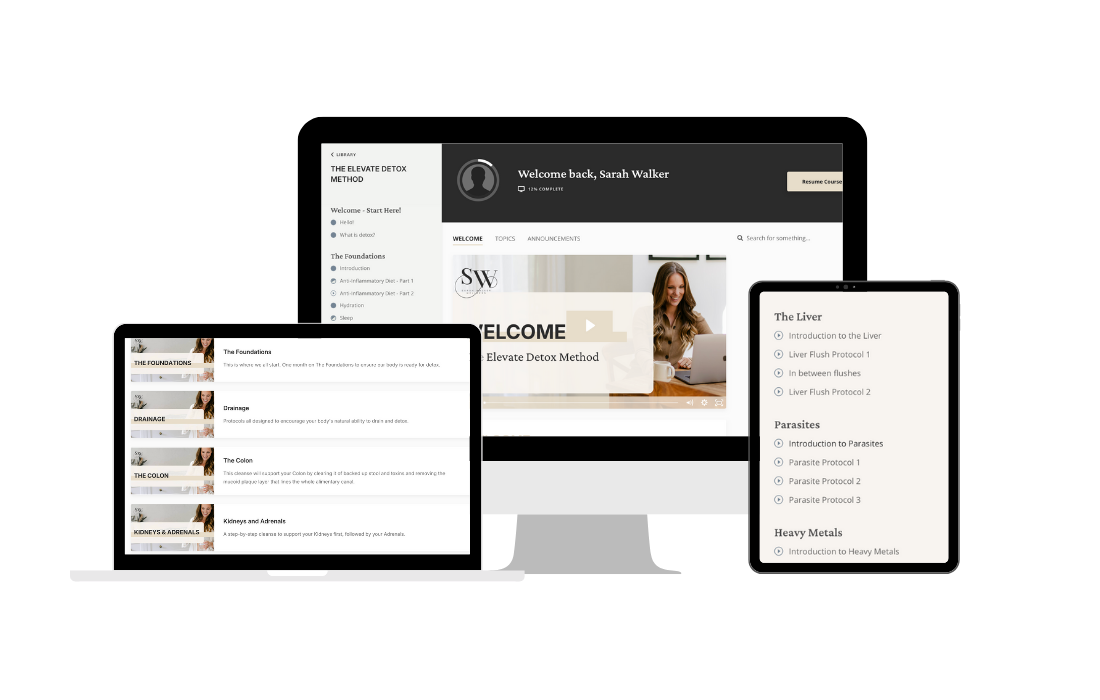
Moxie Course Example (momentum theme)
8. Switching platforms - the cost no one talks about
Maybe you’re on Squarespace now and thinking, “I’ll start small and switch later.”
Here’s the thing: switching platforms is a pain - especially if you’re running a membership.
You can’t migrate subscribers automatically. Everyone has to re-sign up. Cancel their payment + sign up again.
You risk losing people. You’ll definitely lose time.
One of my clients who switched, this process took months and they lost members with the switch over sadly.
So yes, it’s worth getting the right platform in place early - even if it feels like more up front. You’ll save the future-you from tech trauma.
My take? I started with Squarespace too…
I’m all for an minimal viable product - TESTING OFFERS.
When I launched my first course, I got it up and running on Squarespace quickly, it’s the tech I had already (for my website). It did the job. I didn’t overthink it. I just shipped it.
But I will be moving that particular course over to Kajabi in time - and here’s why:
The fees are cheaper once you're selling consistently
The client experience is hugely elevated + smoother (especially for courses with multiple modules)
The mobile app is a game-changer for accessibility
Automation is far more powerful - no need to patch together tech.
Features like quizzes, assessments, sneak peeks, and free trials help you sell better
Checkout is cleaner, more flexible, and way more conversion-friendly
And honestly? Once Kajabi is set up, it’s FAR simpler to run, manage and maintain (once you learn it).
There’s no plugin drama. No Zapier chain holding things together.
Just everything in one place - so you can actually focus on your content and your people.
Final Verdict
| Category | Winner |
|---|---|
| Setup speed | Squarespace |
| Pricing | Kajabi/ Squarespace |
| Payment options | Kajabi |
| Course delivery | Kajabi |
| Email & automations | Kajabi |
| Support | Kajabi |
| Scaling potential | Kajabi |
So - what’s right for you?
✔️ Just starting out with a simple product? Already on Squarespace and want minimal tech faff?
→ Stick with Squarespace + Member Areas.
✔️ Selling a flagship course, building a membership, or scaling up sales?
→ Kajabi is 100% worth the investment — and might be cheaper than you think.
Once you're selling more than a few courses per month, the 1% Squarespace fee eats away at your profit quickly. Kajabi’s flat fee gives you peace of mind, flexibility, and everything under one roof.

If you are wanting to set up EITHER Squarespace members area or Kajabi, I can support you with my speedy done for you setups. Book a chat here.
Kajabi specifically? I have a roadmap course (inside Kajabi) that shows you exactly how to get set up. Test it out here for FREE.
Start your 30 day free trial for Kajabi here with my affiliate link.